

- Home
- Advisory Services
- Digital Certificate
Digital Certificate: The Best Tool for Communication With Spanish Authorities
Moving to Tenerife, investing in property or living here means having to communicate with the local authorities. A digital certificate is a tool that can make this communication much easier. This electronic key gives you access to a range of online services, from submitting applications to signing documents electronically. It saves you time and relieves you of the need to physically visit different institutions, which will be especially appreciated by those who do not stay in Spain permanently throughout the year. In this article, you will find out what the digital certificate is for and how to obtain it easily.
What Is a Digital Certificate?
A digital certificate, also known as an electronic certificate (Certificado Digital), is a set of data that is used to identify the signer or creator of a signature and that enables the secure exchange of information with other people or organisations. Thus, this certificate, issued by a trusted certification authority, enables identity verification while ensuring the integrity and origin of the data.
What Is a Digital Certificate Good For?
In Spain, the digital certificate is an invaluable tool for communicating with government institutions, municipal authorities and other official organisations. For example, it allows online filing of tax returns, requesting official documents or managing personal data. Instead of waiting for a long time at the offices, just install the certificate on your computer or mobile device and conveniently complete everything online. This tool can be used not only by Spanish citizens, but also by foreign residents who have a TIE or NIE.
What Does the Digital Certificate Look Like?
The digital certificate will be installed as a file on your computer or mobile phone. Once installed, it will appear in your folder as follows:

How To Get a Digital Certificate in Tenerife?
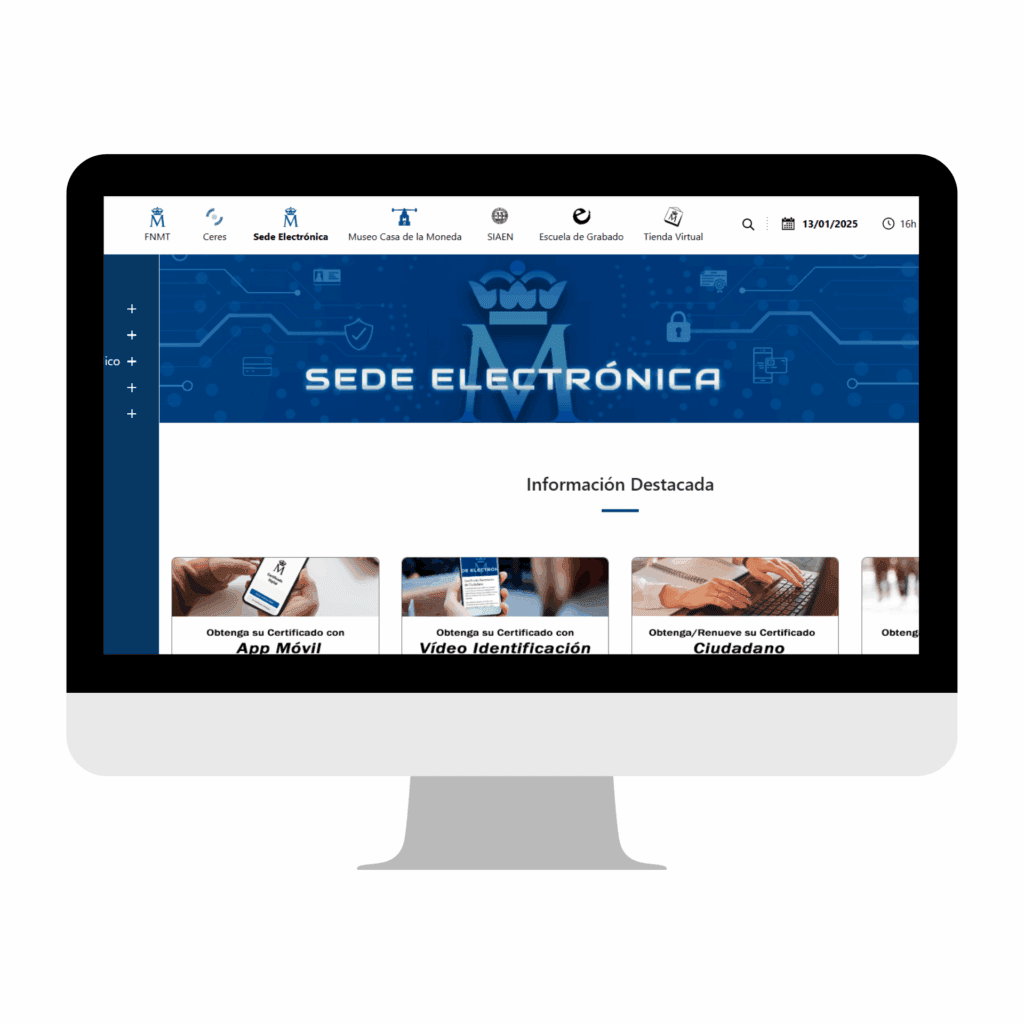
The most common way to obtain a digital certificate is through the official government website FNMT (Fábrica Nacional de Moneda y Timbre). The process consists of three main steps:
Step 1: Apply for a Certificate on the FNMT Website.
Visit the official FNMT website:
https://www.sede.fnmt.gob.es/certificados/persona-fisica.
Select the identity verification method in the section ¿Cómo puedo obtener el Certificado?:
Identity verification by video (fee: €2.99): This option is available for those who are not physically present in Spain, but it may take longer to process.
Personal verification at the office: Ideal if you are in Tenerife.
Verification by DNIe (only for Spanish residents with an electronic ID card).
Using a mobile app: This can be used, but video verification or a personal visit to the office is still required.
Install the necessary software:
Click on Configuración previa and go to Software necesario para la solicitud del certificado. Download and install the FNMT Configurator as instructed.
Fill out the certificate request form:
Go to Solicitar Certificado.
Fill in the required information:
NIE (foreign identity card number),
your last name,
your email address and its confirmation.
Create a password that you will need when downloading the certificate.
Step 2: Identity Verification
The method of verification depends on your choice in the previous step:
1. Video Verification:
After completing the application, you will receive an email with a code that you enter along with other information (passport number, last name, phone number).
Follow the instructions for video identification. Please note: Video identification is only possible with a passport, not with an ID card.
2. Personal Verification at the Office:
On the FNMT website, use the LOCALIZADOR DE OFICINAS link to select the nearest office in Tenerife.
Bring to the appointment:
Application code (sent to your email).
Document confirming your NIE.
A valid passport.
Step 3: Download the Certificate
After successfully verifying your identity (by video or by visiting the office), go to the FNMT website.
In the last step Descargar Certificado, enter the password you created when you applied.
Download and install your digital certificate on your computer or device.
How To Use My Digital Certificate?
Once you have successfully obtained and installed your digital certificate, the system will automatically take care of your identification when you visit the local authority website. Just keep the certificate stored on your device that you used during installation. You must therefore always use the computer or mobile phone on which the certificate was installed to access online services.

Obtaining a digital certificate may seem like a complicated process at first, but once you go through the steps, you’ll find that it’s a useful and essential tool for administrative matters in Spain. The certificate will not only save you time spent at the offices, but will also allow you to complete formalities conveniently and securely from anywhere in the world. If you live in Tenerife, plan to live or invest here, the digital certificate is an essential tool for you. It gives you faster access to services, greater flexibility and peace of mind when managing official matters.
Frequently Asked Questions (FAQ)
Where can I get a digital certificate in Tenerife?
You can obtain a digital certificate online through the official website of the FNMT (Fábrica Nacional de Moneda y Timbre). In Tenerife, it is not necessary to visit any specific office, but you can use the in-person verification at one of the local offices if you choose this option.
Where can I obtain a digital certificate?
You can obtain a digital certificate through the official FNMT website: https://www.sede.fnmt.gob.es/certificados/persona-fisica, where you can select the method of identity verification and then follow the instructions.
How can I get a digital certificate without visiting the office?
If you want to avoid visiting the office in person, you can use video identity verification. There is a fee for this process (€2.99) and it takes place online using video identification, so you can obtain your certificate outside Spain without physically visiting the office.
How long does it take to get a digital certificate?
The length of the process depends on the authentication method you choose. Video authentication may take longer, especially if the system is currently experiencing a larger than usual number of requests. If you choose in-person verification at the office, this step usually takes less time, but you will need to take into account the limited times available to book an appointment. The overall process from application to certificate can take several days.